The method is standard. The workflow is not.
An Active Travel England Route Check scores a walking and cycling scheme against a published set of metrics, each on a C, 0, 1, 2 scale. The method is consistent across the country. The work behind it usually is not.
That is where most of the assessment time goes, and why two assessors can reach different scores for the same street.
Repetitive desktop work
Widths, speeds, flows and crossings looked up one by one from different systems and keyed into a spreadsheet.
Fragmented evidence
Imagery, GIS layers, comments and scores sit in separate places, so the reasoning behind a score is hard to find later.
Inconsistent between assessors
Interpretation varies by person, and a spreadsheet passed around by email keeps little change history.
New to Route Checks?
Our ATE Route Check guidance explains the methodology, the metrics and the assessment process, with examples of how individual metrics are scored.
Every score with its evidence.
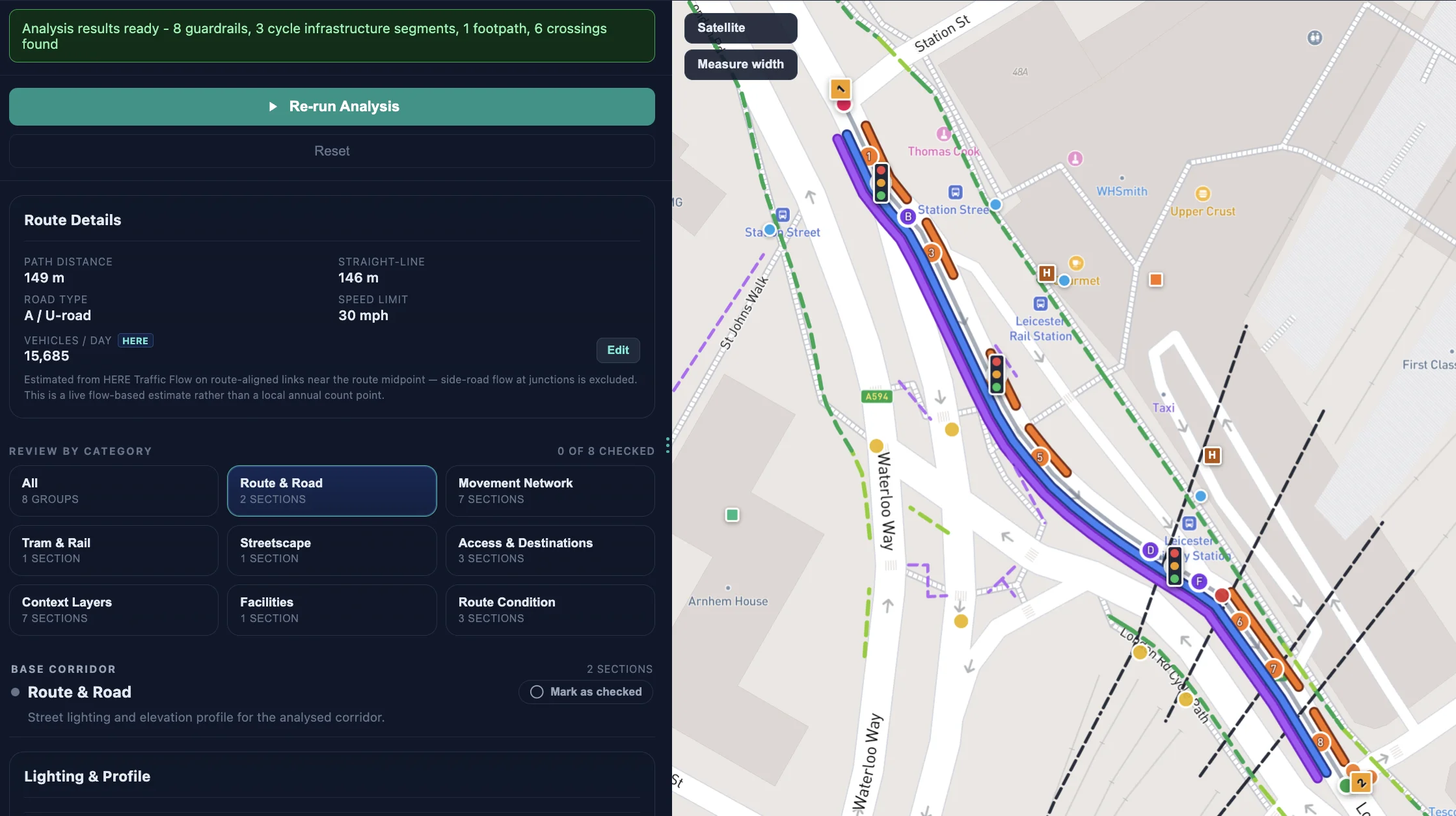
StreetVision digitises the workflow around route segmentation, metric review, evidence collection, comments, overrides, confidence and exportable outputs.
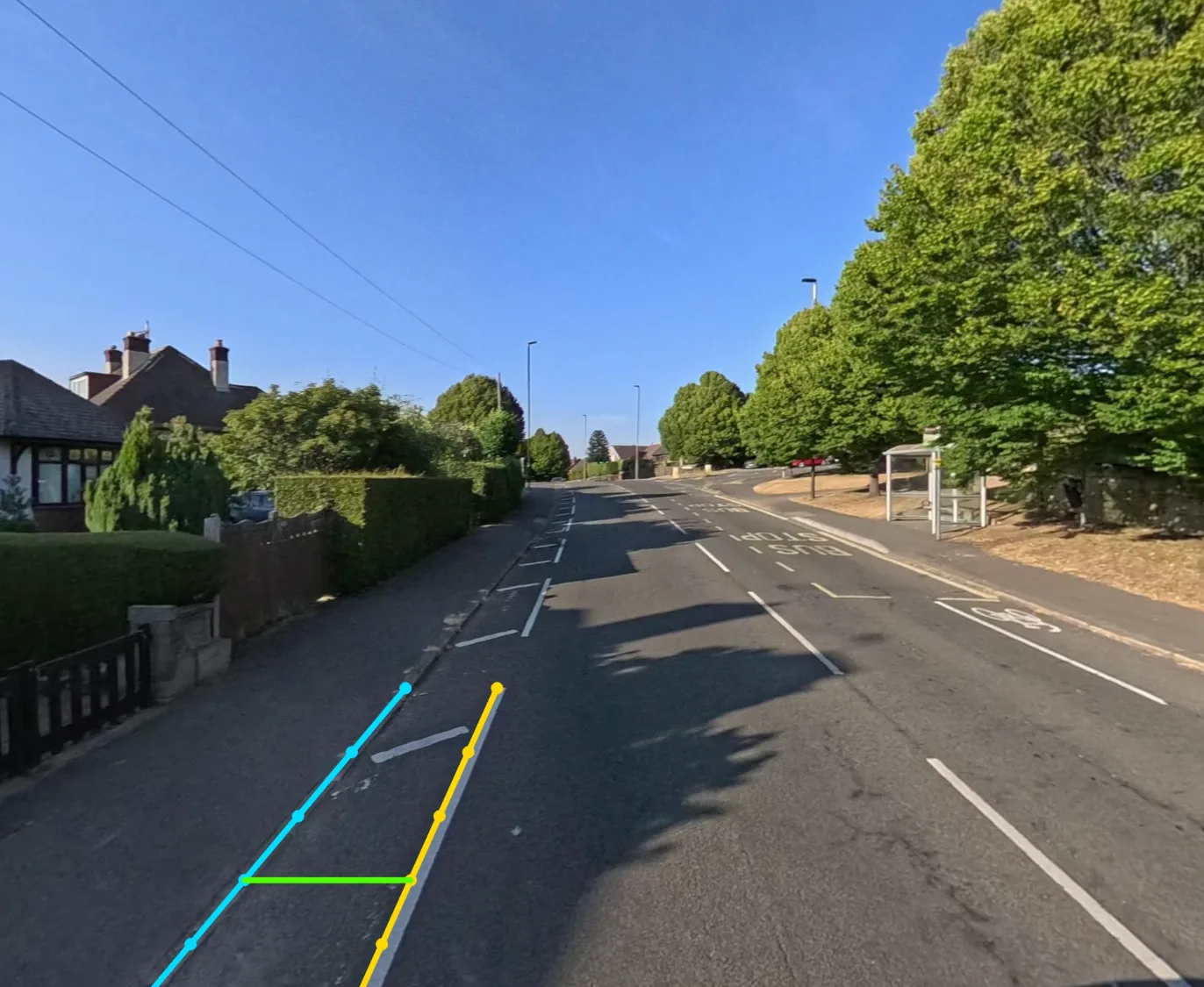
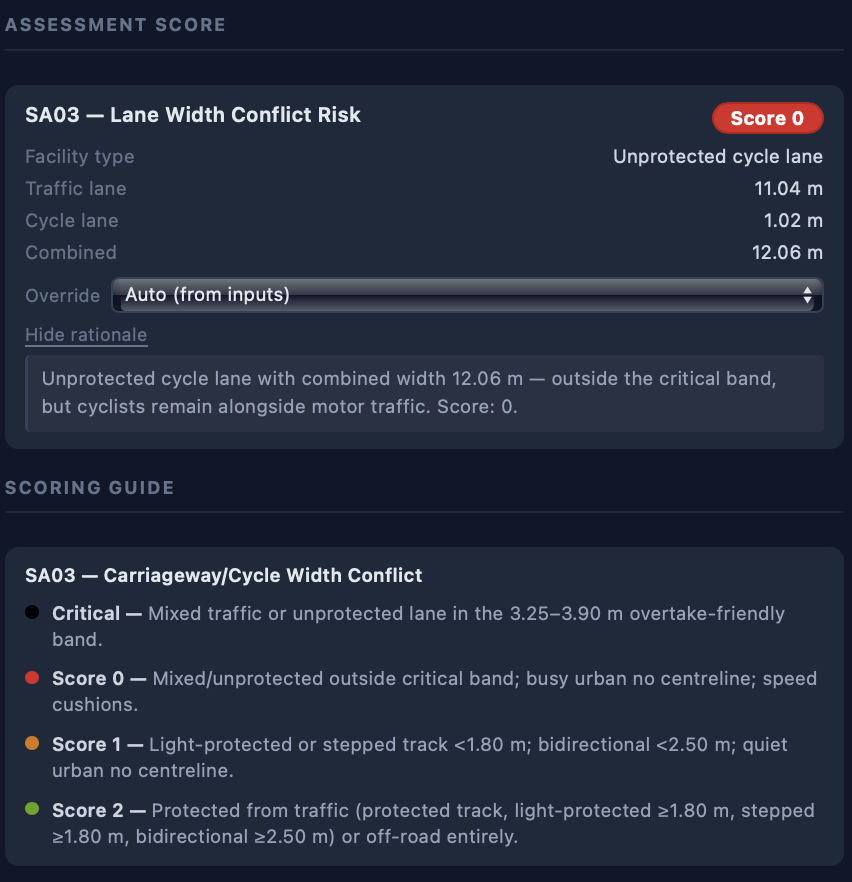
Computer vision measures what can be measured from street-level imagery, such as lane widths. Mapped data fills in road class, speed limits and vehicle flows. Each metric arrives pre-scored, with its inputs, rationale and scoring guide beside it.
CV-assisted checks support engineering review.
Designed for engineering review
StreetVision supports assessment. It does not remove professional judgement. Engineers can review, override and evidence every score, and the scores, comments and overrides remain visible so the assessment can be defended rather than treated as a black-box output.
Pre-populated metrics
Mapped and visual signals fill in the metrics first, so review starts from evidence rather than a blank sheet.
Evidence-linked scoring
Comments, imagery, measured inputs, assumptions and scores stay connected to the segment they describe.
Overrides with a trail
Any score can be overridden by an engineer. Overrides, comments and review states are kept for traceability.
Export-ready outputs
Review-ready summaries and ATE-compatible assessment outputs, ready for submission.
From route to export in four steps.
The same workflow for a single scheme or a programme of checks. Each step leaves the evidence where the next reviewer can find it.
Define the route
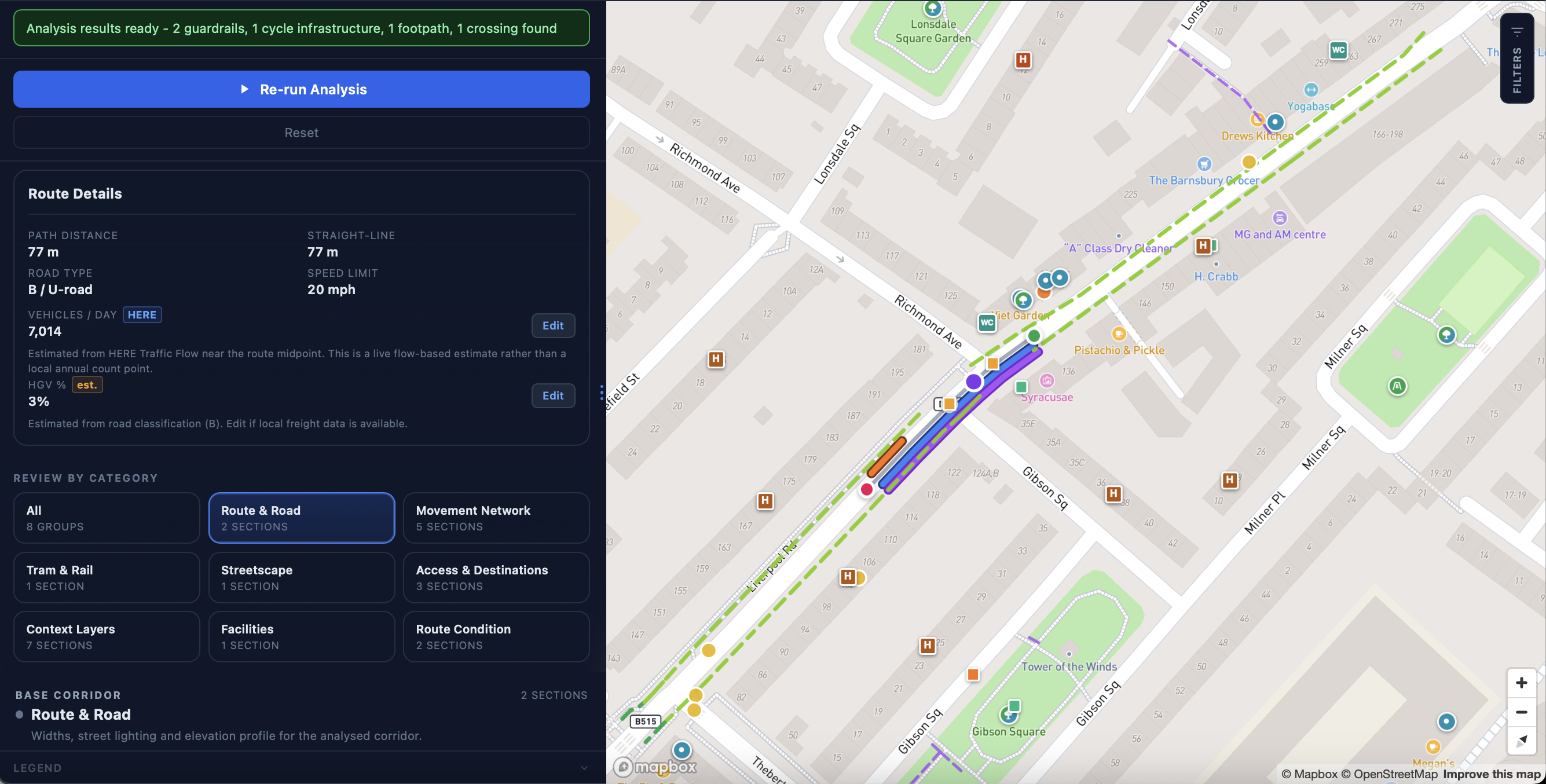
Draw the route on the map and split it into segments. Road class, speed limit and vehicle flow are pulled in from mapped data.
Metrics pre-scored
Street-level imagery and mapped data populate the Route Check metrics, with measured inputs and a written rationale against each score.
Engineers review
Check the evidence, override any score, add comments and mark each category as reviewed. Scores, comments and overrides stay visible.
Export
Produce review-ready summaries and ATE-compatible outputs for the submission and your own records.
For the teams that write and review Route Checks.
Built with direct understanding of route checks and engineering assessment workflows, and designed around auditability, review states, evidence and controlled project visibility.
Local authorities
Assess your own schemes, prepare evidence-backed Route Checks and keep a record that stands up at review.
Engineering consultancies
Standardise route checks across teams, cut repetitive desktop work and deliver clearer outputs for clients.
Transport agencies and combined authorities
Review infrastructure quality across corridors and schemes, then compare intervention options in the same workspace.
Beyond a single route check
The same workspace scales from one scheme to corridor studies and city-wide network assessment, with weak links, route options and estimated costs in one view. See network assessment.
Pilot it on a live route check
A typical pilot validates the workflow against a real route check or corridor study, from route definition through evidence collection, review and export. By the end, your team should know whether StreetVision reduces the manual effort and improves consistency for you.
Bring a route you are checking now.
Tell us the scheme and where it is in the process. We will walk you through StreetVision on that route, so you can compare the output with your current spreadsheet.